Warning: Creating default object from empty value in /home2/finalart/plasticcardonline.com/blog/wp-content/themes/salient/nectar/redux-framework/ReduxCore/inc/class.redux_filesystem.php on line 29
Plastic cards Archives - Page 75 of 86 - Plastic card
Category

Plastic cards

Get low price plastic business card

By | Business Cards | No Comments

Do you want to Get your plastic business card with low price?if you say yes,i will tell you how to do it.

1. Printable plastic sheets are available at some office supply stores, or you may have to find a specialty plastic distributor to get the plastic business card you need. You’ll want sheets that can fit in and are adaptable to your printer. At the very least, you can readily find transparency paper at many office suppliers to create a clear business card.

2.Design plastic business card. Draw the shape and size of the card you want.also you can ask professional designer in www.plasticcardonline.com,they will help you design beautiful card for you. The average business card is 3 1/2 by 2 inches, but you can adjust them to whatever size you wish. Include the company’s name and contact information. If you are planning to use a program that can insert graphics, feel free to include a small piece of clip art or other small illustration.

3.Translate your card onto the computer. Use a business card template, available through several label-making programs, or wing it. Use a word processing program that can insert a table. Pick the number of rows and columns that fit on the page, with each cell being a separate card. Create one, and then copy and paste the card information into each of the cells.

4.Print plastic business cards. Select the right settings on your printer for a thicker sheet than regular paper and the highest quality print.

5.Cut the cards. Use knife and paper cutter cut the plastic business card. Keep edges even by dragging the knife along a ruler or drawing fine lines with chalk that can be wiped off once cut.

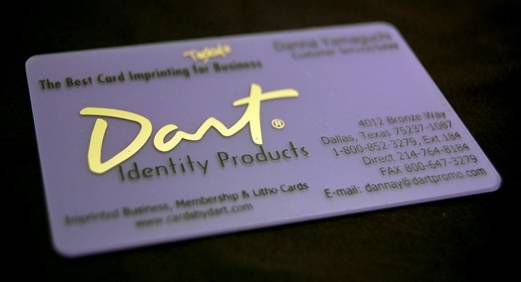
Get Discount Business Cards Online

By | Business Cards | No Comments

Whether you are a businessman using a business card can be very costly. Luckily I tell you a good news, I will share many ways to get discount business card online in this article.let ‘s go.


Consider your buying in bulk. Design business cards in bulk can significantly reduce your costs.

Make bundle purchases. Great deals can be had by purchasing address labels and other items that can be used with your business.


Choose a card design and print company that will throw in extra features for free. It’s not uncommon for some companies to offer free glossy finish for your business cards.

Find promote code and coupons offered by plastic card online.com websites that print business cards. Platic card online INC. will offer the first few dozen business cards for free or can offer a substantial discount in terms of percentages.

Know what you’re getting. Many companies that offer discount business cards can offer reduced prices as a trade-off for printing their own company’s name on the back of your business cards. If you are already spending money on business cards, consider spending enough money to make sure that this doesn’t happen. A few extra dollars to ensure a more professional-looking business card can improve the chances that others will take you and your business seriously.

Get your business card online just so easy. Find the card print company,they will design and print for you with no fee.help your business.

How to Make Your Membership Cards

By | Membership Cards | No Comments

Shop members will ofen carry they membership cards that gives them access your shop functions and activities. Membership card is the signifies of person, Membership cards are similar to a plastic  business card. You can make your own membership cards using Microsoft Publisher 2007. You just add some personal information on it such as pictures or graphics, if you like.Let me tell you how to make membership card by computer.


Download and install Microsoft Publisher Design Wizard tool. Choose “New” from the options under “File” on the top menu bar.


Click on “Business Cards” to choose the available templates in list. Using a business card template is a good way to make membership cards. You will be able to print your cards using business card paper.


Select one basic overall design you like. Choose a style what you like that fits your shop or one that you can alter to accomplish this. Click the “Start Wizard” button.


Notice the card appears on the right side and the wizard on the left. Each time you make changes, it shows on the card. Go through the process selecting options for your shop membership card.


Choose the colors for the card you like. Pick “Landscape” for the orientation. Check “Yes” when asked to add “Logo”.


Insert the details of you shop when requested to add business information. This will automatically be known, if you have ever put these details in Publisher. If not, add these details now. Click “Finish” to complete the wizard.


Alter the membership card design to fit your specific shop. Using mouse move any sections of the card around. Highlight and change or delete any parts of the card.


Modify the card’s color, font, style and size of the text. Match these with any previous type you have used on other shop materials. Use the Text Frame Tool to select placement of new text.


Put in your shop photo or map if needed. Use your shop logo or some other graphic that represents it. Click on the location you want to place it.


Add the graphic using the “Insert” and then “Picture” option on the menu bar. Choose the type of picture, find it on your computer and click “Insert” to place it.


Check the cards regular or not .

Fannly use specially designed business card paper or card stock to print your cards. If you don’t have this paper,you can contact us ,we are a professional membership card print company.we offer all kinds of card for your choices.

get cheap gift card online

By | Gift Cards | No Comments

You can get the beautifl plastic gift cards for cheap on plasticcardonline.com .Here is the five ways to get gift card online. Using google Search keyword:gift card inurl:www.plasticcardonline.com,then you will see the answer,Click the first link entry website.Then you will see many plastic card products. contact each ad seperately and inquire whether or not the gift card is still available.Sometimes people resell their gift cards because they are unable to use them and are willing to give a discount to get rid of it.

Write to the gift card stores and ask to send you gift cards to save money, so you can go back there. You would be surprised how many of them would respond because companies give incentives to keep their customers, so they can come back again.

When purchasing, always pay online via paypal  and west union. So if there are any problems receiving your product, you can dispute the charges and paypal will refund you . Do not send payments via check, cash or money orders as you will be unable to dispute it if there are any problems.

gift card
Plasticcardonline.com is the largest gift cards print and design company from hongkong.I allway can recive the professional gift card from plastic card online INC.if you don’t believe it soon,you can seen the Testimonials before you older it.

how to make plastic business card

By | Business Cards | No Comments
Plastic cards are popular as business cards, membership cards, ID cards or advertising promotions. Unfortunately, having plastic cards of this type professionally printed can be an expensive proposition. Making your own plastic cards can be done with a simple graphics program, a printer and the plastic sheets necessary for printing. Learn how to make plastic cards for a variety of business or personal uses that are attractive, colorful and high quality.
1.Purchase plastic sheets that are designed to fit into your printer.
2.Design plastic card in the graphics program. A typical business card is 3 1/2-by-2 inches. Create a raster layer that is the desired dimensions with the highest quality resolution. If this will be a business card, include a company logo and company contact information. Choose the colors and fonts desired for the background and text. Merge any layers and save your creation as a JPEG file on your hard drive.
3.Print a test of the card you created onto plain white paper. If it is acceptable, print the plastic cards onto the plastic sheets with your printer.
4.Cut the plastic sheets into individual cards with a sharp scissors or a utility knife and ruler. Work slowly and carefully to make sure that your cutting is smooth and straight.

How to Make Business Cards using Microsoft Word 2010

By | Business Cards | No Comments

In recent years,Business cards are a best way to promote your business. business cards can talk representing you which can create many opportunities for your business or company. There are many sources of quality plastic business cards online or in many printing services. but if you want to create your own, Microsoft Word 2010 offers a fast and easy way to make business cards. Here a list all you need:

A computer with internet connection

A printer

business card sheets


Using Microsoft Word 2010 make business cards.


1.Download Microsoft Word 2010 and install

Go to http://office.microsoft.com/en-us/word/ download Microsoft word 2010, When you finished installed,then Open Microsoft Word 2010. Click the “Office Button” located at the top left corner of the Word 2010 document then select “New”.


2.Create business cards

When a “New Document” window appears, select “Business Cards” from the lists of templates. If you don’t see any business card template, click the “Print Business Cards” link and the Microsoft Word 2010 will connect on the internet to give you previews of business card templates available.


3.Design business card templates

Browse from the list and pick the ones that best suites the business that you want to promote. Keep in mind that the business card design you choose will represent you and your business so take your time to find the right one. Click “Download” when you found the right design.

business card

4.Write your information

Microsoft Word 2010 will automatically create a page-full of business card layout. You can change all the information with your name, address, phone number,contact info, company name, and email address and website. You can also put your photo on the template to make it unique and personalized,this card call photo ID card.


5.Business cards printing

When you finish design business card,next step is print it out,If you have printer, turn on your color printer and put the business card sheets on the paper tray.I recommended full color print plastic card. Another good thing about making your own business cards is that you can choose business card sheets with the right thickness and color that match your personality.If you don’t have printer,you can choose plastic card company to help you print it,you can using google and yahoo search plastic card company online.


Microsoft Word 2010 offers a very simple and easy way to make your own business cards. It comes in handy especially if you need it pretty fast and the printing service can’t provide you a quick turn around.After you read this article,if you don’t how to do still,you can go to this website http://www.plasticcardonline.com/  find a free service.

How to design a business card in Photoshop

By | Business Cards | No Comments

Once in Photoshop, open your plastic card template. The business card template design guide, which will greatly help when you are ready to send your creation to the printer turned off by default. The guiding line represents the outer most of the ‘cutting line’ and the inner most is the ‘safety line’. It is best to control the parameters of design in the security line to make sure you get the text or graphics are hard to be off the printer.

Make sure your image mode to CMYK color. This can be the image “mode” of CMYK.

Create a new layer in the Layers panel.

Choose the color of the toolbar buttons, a small square in the background color of your card.

Select Tools from the toolbar paint bucket, click on the image to fill the background color,see our design page.

Create a new layer. Select the Custom Shape tool to select a shape that you want to use a logo or watermark. Or, you can use your own logo (just be sure it is a transparent GIF).

Use the move tool place the shape in the desired location / logo / watermark. If you are using as a watermark to your shape and reduce the opacity (in the Layers Panel on) about 9%.
Choose your background color, contrast with the color of your text.

This small box by switching back and forth between color.

Important information for you to create individual text box. The name, address, phone number and address. (Create a separate text box anywhere on your card more easily position and size of the text.) Please be sure to choose a font very spectacular, clean, clear, and look amazing in print.

If you like some information will come out, try using a thin opaque pixel box or accent line. You can create a new layer, select the Rectangular Marquee Tool, your picture, and then around a specific area of ​​an opaque box text box. (Make sure, however, your text layer on your layers panel box at the top layer). The black color of your box, and then reduce the transparency of about 44% felt it was transparent.

Play with different layer styles and design elements until you get something you love.

When you save your PSD, there is the final step. To ensure the best results for your printer, this is a good idea, your first flat PSD images. We layer by right-clicking any one of the Layers palette, then select ‘flatten image’ of. But not stored in the original PSD’s! Make sure you select ‘save as’ this time, and rename the other like a “business card flattened’ what your file, select the appropriate file transfer. So you can return to your original PSD and editing elements later.

Now you are ready to design your business card in a fierce new unedited questions or concerns about the design layout to the printer.

How to Make Plastic Business Cards

By | Business Cards | No Comments

Whatever Your company is so cool or not, keen and professional, I think you need a business card that reflects that. You also want a card that stands out from the rest and is durable enough to stand up to being crammed in so many contacts’ wallets. Your answer may be with plastic. You can make plastic business cards that stand out from the rest and stand up to the test of abuse and time.

Things You’ll Need:

Plastic

Computer and printer

Pencil and paper

Scissors, utility knife or heavy-duty paper cutter

1.Get your plastic. Printable plastic sheets are available at some office supply stores, or you may have to find a specialty plastic distributor to get the plastic you need. You’ll want sheets that can fit in and are adaptable to your printer. At the very least, you can readily find transparency paper at many office suppliers to create a clear business card.

2.Design your card. Draw the shape and size of the card you want. The average business card is 3 1/2 by 2 inches, but you can adjust them to whatever size you wish. Include the company’s name and contact information. If you are planning to use a program that can insert graphics, feel free to include a small piece of clip art or other small illustration.

3.Translate your card onto the computer. Use a business card template, available through several label-making programs, or wing it. Use a word processing program that can insert a table. Pick the number of rows and columns that fit on the page, with each cell being a separate card. Create one, and then copy and paste the card information into each of the cells.

4.Print the cards. Select the proper settings on your printer for a thicker sheet than regular paper and the highest quality print,you can choose professional plastic card print company.

5.Cut and distribute. Use very sharp scissors or, better yet, a utility knife or paper cutter that can slice through plastic. Keep edges even by dragging the knife along a ruler or drawing fine lines with chalk that can be wiped off once cut.

Beauty salon using the benefits of membership cards

By | Membership Cards | No Comments

Membership card is a beauty salon and cosmetics storemarketing. Membership cards can be accumulated by more customers, give more of the old customers. Beauty salons in the general set of cards, there are many: Diamond, Gold, Silver,membership card, annual card, free beauty cards.

Membership Card design principles:

Value
Membership card settings are not purely representative of how much money there, but reflects its value. Women do realize theirbeauty is a positive state of mind. Nice name to use to arousecustomers have meaning noble and beautiful. At the same time itis a symbol, reflecting the beauty salon and beauticians advancedservices. A status symbol.
Level should not be too much
The level of membership card can not be too much, the minimum can not be less than three, the maximum can not behigher than six. Presentation should be targeted to the customer, which must maintain the appropriate price range. Central parityprice of membership cards to major customers should be the pricemost can afford introduced, so as to ensure retention of keycustomers. Consistent with the spending power of the mass of customers, or members to develop a higher price can easily lead to loss of customers.

Feedback
For a member of the customer, the card, the higher the amount,the greater the gift, the lower the discount. Price of body care,hand care, aromatherapy items of interest to our customers, spaitems, body underwear, equipment care, can be presented of the projects. For different customers, to give different types ofmembership card.
But some beauty salons and beauty salons despite the scale oftheir own local circumstances, copy someone else’s design andpromotion, the membership card has become a vulgar ad, butignored her behind the quality and high profit, high investmentreality.

Membership card means that the value of the services of beauty salons, beauty salon membership card for is to provide customers with a value of psychological and physical feelings. Without goodservice, membership cards will lose its original meaning.

Business card making instructions

By | Business Cards | No Comments

First, the standard card production size:
Card production size 92 × 56mm (with 1mm bleed all four sides)

Second, the standard business card products size:
Finished card size 90 × 54mm; discount card, business card or other size, please specify when order size

Third, business card layout method:
Business card layout, set the text and other content placed on the cut line in 3mm, business cards after cutting more beautiful

Fourth, business card style:
Horizontal business card (90 × 54mm), vertical business card (54 × 90mm), folding card (90 × 90mm or 180 × 54mm) and shaped business card.

Fifth, card production software:
We accept coreldraw, Illustrator, Freehand, Photoshop software tools to create documents; curve or outline the text word to be transferred

VIP card format requirements:
1, CorelDraw please save CDR format (using CorelDraw effects of graphics, into a bitmap, bitmap resolution of 350dpi).
2, Freehand, Illustrator, please save them as EPS format (plug-in of the image file, must be accompanied by drawings);
3, Photoshop please save TIF or JPG format, file resolution of 350 dpi or more.
Seven card file CMYK color mode, please set mode.
Eight lines below the 0.076mm, printing will not appear, must be set not less than 0.076mm.

Sixth, color settings can not be less than 8%, so the color can not appear.
Ten, horizontal, double-sided business card placed on the left, opposite the right place, vertical business cards please head to head placed (coreldraw file).
Made with photoshop files, card production size 92*56, and both positive and negative separation of document storage.
Try not to set down or around other side of the lace, the error due to cutting the time, I am afraid can not guarantee sides symmetrical.