Warning: Creating default object from empty value in /home2/finalart/plasticcardonline.com/blog/wp-content/themes/salient/nectar/redux-framework/ReduxCore/inc/class.redux_filesystem.php on line 29
Plastic card online
All Posts By

admin

Make membership card at home

By | Membership Cards | No Comments

These days Plastic Cards are kindly for business, membership, ID, loyalty card, gift card ,discount card and more plastic cards. If you think that having professionally printed membership cards of this kind can be a costly plan, making your own plastic  membership cards can be done with an easy graphics program, A full color card printer and the sheets of  PVC essential for printing,you can reference how to make business card using microsoft word 2010.

You need Required things:

1. Plastic sheet or PVC

2. Printer

3. Photoshop CS

4. A Knife or Scissors

5. A Ruler

Following are the below steps of making plastic membership card for a variety of business or personal uses that are attractive, colorful and high-class.

1. Buy Plastic Sheets in retail shop:

Obtain plastic sheets that are designed to fit into your printer.

2. Design:

Design your card using photoshop cs. PS is easy to use. A typical business card is 3 1/2-by-2 inches. If you don’t understand you can go to http://www.plasticcardonline.com/design/design.html to see how to design membership card .Make a raster layer that is the desired dimensions with the uppermost quality resolution. If this will be a business card, take account of company logo and company contact information. Decide the colors and fonts preferred for the background and text. Combine any layers and save your creation as any ling of image file on hard drive of your computer.

3. Print:

Print a test on plain white paper. If it is satisfactory, print the membership cards onto the plastic sheets using color printer.

4. Cut the sheets:

When you finish print,next work is Cut the plastic sheets into single cards with a sharp cutter or a knife and ruler.

Finally you have plastic membership card . if you don’t want to make it by yourself you may get high quality and Cheap price membership Cards from PlasticCardsOnline™, the biggest Plastic Cards Printing factory around the globe.

I am Dward from HongKong,I am working for PlasticCardOnline.com which is no.1 plastic card design and print company of world and supplying  best quality and Cheap Plastic  Cards  globally.
 

How to Design a Loyalty Card

By | Loyalty Cards | No Comments

Whether you are a businessman or a consumer ,they are many reasons you need loyalty card. What is loyalty card? Loyalty card like membership card and discount card, but not the same. Loyalty card Is widely used in beauty salon,health club,hetel and more. A loyalty card can be a simple record for those who have paid to use your service or participate in your organization. It also can be used to promote your business or organization’s brand and effectively market your services to potential customers.
Now today I will tell you many useful ways make loyalty card by yourself. But you should prepare some tools below:PC,paper,printer,photoshop,pancil.
First Write a list of the information you wish to display on the loyalty card. Include the member’s name and loyalty number, and perhaps his or her address and/or phone number. You also will want to have a place for your company’s name and logo.

loyalty card
Second Choose a background from an array of colors and styles. I suggest design full color card is better. If you are using a design software, check the options available in the templates or backgrounds section.Photoshop CS and Word2010 is a useful tools. If your cards are to be professionally produced, ask the print company to give you several options. Your background should not detract from your company’s name or logo but should enhance it. You may wish to consult a graphic designer or an individual with a sense of design and artistry for advice on what patterns would work well for your card.

Third Choose a lettering style, also known as a font, from the software or professional printer that is simple and effective but still works with the overall look of your loyalty card. Your organization’s name may have an established brand lettering style that matches its logo. This should be retained for use on the loyalty card.Fouth step is Sketch out where information should be placed on the card. Such as you may wish to have only your shop’s name and company logo on the front, and loyalty infomation on the other side. Or you may wish to have both the member’s name and basic information on the front with the logo.
Finally Choose a material to use for your cards,I strong recommended use plastic. You can see other store offer customers beautiful plastic loyalty card or membership card. If you don’t have plastic card,you can find on the internet, plasticcardonline.com is A professional card producer should likewise be able to offer you card material options.you can also choose a lot free loyalty card templates.

What Is a Loyalty Card?

By | Loyalty Cards | No Comments

In recent years many retailers offer customer loyalty cards that give benefits to their customers. Loyalty card just like membership card and discount card, But loyalty cards differ from membership cards required by retailers like Sam’s Club or Costco for entrance to their stores. Customers wishing to register for a loyalty card are typically required to provide information such as mail, name, home address and more.

loyalty cards Functions
Retailers “use the cards to keep tabs on what you purchase, how often you shop, and what your buying preferences are,” according to an article in Consumer Affairs. Based on those consumer preferences, many retailers will send out mailings to their customers, encouraging future shopping trips and providing discounts.
loyalty cards Benefits

Since Kroger grocery store doesn’t require a membership card to shop in its stores, deal-seeking shoppers should obtain a card to reap the most benefits. Using the card ensures the lowest price on items and also allows for certain coupons to be doubled. A new feature available to bargain shoppers is e-coupons that can be loaded directly onto a card. A benefit of shopping with e-coupons is not having to fumble with paper coupons at the registers. E-coupons discounts are taken off the total when the card is scanned. There are several e-coupon websites around, however www.plasticcardonline.com, www.onlinecardprint.com are a few of the more popular ones.
loyalty cards Features

If you want to using loyalty card for your customers,want they comeing to your store again,I strong recomment print loyalty card or membership card. When they shopping in your store, you can give them a discount. While most retailers would prefer that you carry their card on yourself at all times, many allow you to use your phone number as an alternate account number.

Get low price plastic business card

By | Business Cards | No Comments

Do you want to Get your plastic business card with low price?if you say yes,i will tell you how to do it.

1. Printable plastic sheets are available at some office supply stores, or you may have to find a specialty plastic distributor to get the plastic business card you need. You’ll want sheets that can fit in and are adaptable to your printer. At the very least, you can readily find transparency paper at many office suppliers to create a clear business card.

2.Design plastic business card. Draw the shape and size of the card you want.also you can ask professional designer in www.plasticcardonline.com,they will help you design beautiful card for you. The average business card is 3 1/2 by 2 inches, but you can adjust them to whatever size you wish. Include the company’s name and contact information. If you are planning to use a program that can insert graphics, feel free to include a small piece of clip art or other small illustration.

3.Translate your card onto the computer. Use a business card template, available through several label-making programs, or wing it. Use a word processing program that can insert a table. Pick the number of rows and columns that fit on the page, with each cell being a separate card. Create one, and then copy and paste the card information into each of the cells.

4.Print plastic business cards. Select the right settings on your printer for a thicker sheet than regular paper and the highest quality print.

5.Cut the cards. Use knife and paper cutter cut the plastic business card. Keep edges even by dragging the knife along a ruler or drawing fine lines with chalk that can be wiped off once cut.

Get Discount Business Cards Online

By | Business Cards | No Comments

Whether you are a businessman using a business card can be very costly. Luckily I tell you a good news, I will share many ways to get discount business card online in this article.let ‘s go.


Consider your buying in bulk. Design business cards in bulk can significantly reduce your costs.

Make bundle purchases. Great deals can be had by purchasing address labels and other items that can be used with your business.


Choose a card design and print company that will throw in extra features for free. It’s not uncommon for some companies to offer free glossy finish for your business cards.

Find promote code and coupons offered by plastic card online.com websites that print business cards. Platic card online INC. will offer the first few dozen business cards for free or can offer a substantial discount in terms of percentages.

Know what you’re getting. Many companies that offer discount business cards can offer reduced prices as a trade-off for printing their own company’s name on the back of your business cards. If you are already spending money on business cards, consider spending enough money to make sure that this doesn’t happen. A few extra dollars to ensure a more professional-looking business card can improve the chances that others will take you and your business seriously.

Get your business card online just so easy. Find the card print company,they will design and print for you with no fee.help your business.

How to Make Your Membership Cards

By | Membership Cards | No Comments

Shop members will ofen carry they membership cards that gives them access your shop functions and activities. Membership card is the signifies of person, Membership cards are similar to a plastic  business card. You can make your own membership cards using Microsoft Publisher 2007. You just add some personal information on it such as pictures or graphics, if you like.Let me tell you how to make membership card by computer.


Download and install Microsoft Publisher Design Wizard tool. Choose “New” from the options under “File” on the top menu bar.


Click on “Business Cards” to choose the available templates in list. Using a business card template is a good way to make membership cards. You will be able to print your cards using business card paper.


Select one basic overall design you like. Choose a style what you like that fits your shop or one that you can alter to accomplish this. Click the “Start Wizard” button.


Notice the card appears on the right side and the wizard on the left. Each time you make changes, it shows on the card. Go through the process selecting options for your shop membership card.


Choose the colors for the card you like. Pick “Landscape” for the orientation. Check “Yes” when asked to add “Logo”.


Insert the details of you shop when requested to add business information. This will automatically be known, if you have ever put these details in Publisher. If not, add these details now. Click “Finish” to complete the wizard.


Alter the membership card design to fit your specific shop. Using mouse move any sections of the card around. Highlight and change or delete any parts of the card.


Modify the card’s color, font, style and size of the text. Match these with any previous type you have used on other shop materials. Use the Text Frame Tool to select placement of new text.


Put in your shop photo or map if needed. Use your shop logo or some other graphic that represents it. Click on the location you want to place it.


Add the graphic using the “Insert” and then “Picture” option on the menu bar. Choose the type of picture, find it on your computer and click “Insert” to place it.


Check the cards regular or not .

Fannly use specially designed business card paper or card stock to print your cards. If you don’t have this paper,you can contact us ,we are a professional membership card print company.we offer all kinds of card for your choices.

get cheap gift card online

By | Gift Cards | No Comments

You can get the beautifl plastic gift cards for cheap on plasticcardonline.com .Here is the five ways to get gift card online. Using google Search keyword:gift card inurl:www.plasticcardonline.com,then you will see the answer,Click the first link entry website.Then you will see many plastic card products. contact each ad seperately and inquire whether or not the gift card is still available.Sometimes people resell their gift cards because they are unable to use them and are willing to give a discount to get rid of it.

Write to the gift card stores and ask to send you gift cards to save money, so you can go back there. You would be surprised how many of them would respond because companies give incentives to keep their customers, so they can come back again.

When purchasing, always pay online via paypal  and west union. So if there are any problems receiving your product, you can dispute the charges and paypal will refund you . Do not send payments via check, cash or money orders as you will be unable to dispute it if there are any problems.

gift card
Plasticcardonline.com is the largest gift cards print and design company from hongkong.I allway can recive the professional gift card from plastic card online INC.if you don’t believe it soon,you can seen the Testimonials before you older it.

Plastic card template 119

By | Templates | No Comments

plastic_card_template_119

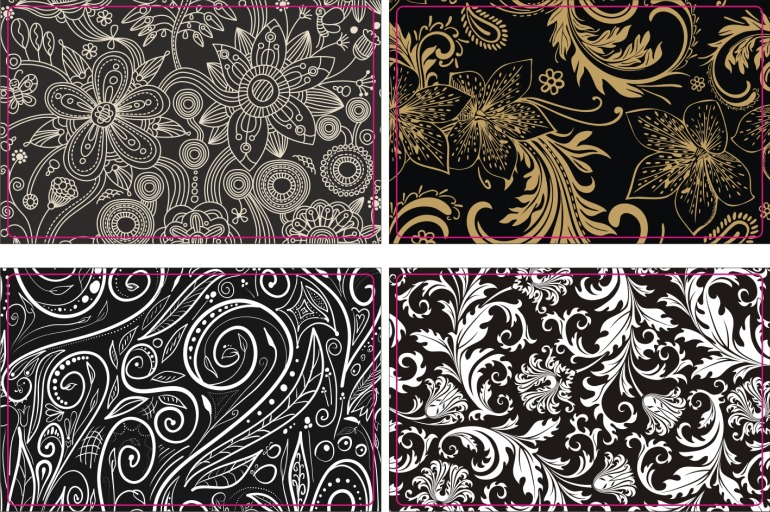
Welcome to online resource for downloadable business card templates. We provide template designs according to business nature. All templates come in the format of 300DPI, JPEG (CMYK) colors which are compatible with most design software including business card design/printing software. Our templates design are also widely used for creating avery business card. Get your free downloadable business card templates and design your own business card today! Thanks for visiting our business template site.

how to make plastic business card

By | Business Cards | No Comments
Plastic cards are popular as business cards, membership cards, ID cards or advertising promotions. Unfortunately, having plastic cards of this type professionally printed can be an expensive proposition. Making your own plastic cards can be done with a simple graphics program, a printer and the plastic sheets necessary for printing. Learn how to make plastic cards for a variety of business or personal uses that are attractive, colorful and high quality.
1.Purchase plastic sheets that are designed to fit into your printer.
2.Design plastic card in the graphics program. A typical business card is 3 1/2-by-2 inches. Create a raster layer that is the desired dimensions with the highest quality resolution. If this will be a business card, include a company logo and company contact information. Choose the colors and fonts desired for the background and text. Merge any layers and save your creation as a JPEG file on your hard drive.
3.Print a test of the card you created onto plain white paper. If it is acceptable, print the plastic cards onto the plastic sheets with your printer.
4.Cut the plastic sheets into individual cards with a sharp scissors or a utility knife and ruler. Work slowly and carefully to make sure that your cutting is smooth and straight.

How to Make Business Cards using Microsoft Word 2010

By | Business Cards | No Comments

In recent years,Business cards are a best way to promote your business. business cards can talk representing you which can create many opportunities for your business or company. There are many sources of quality plastic business cards online or in many printing services. but if you want to create your own, Microsoft Word 2010 offers a fast and easy way to make business cards. Here a list all you need:

A computer with internet connection

A printer

business card sheets


Using Microsoft Word 2010 make business cards.


1.Download Microsoft Word 2010 and install

Go to http://office.microsoft.com/en-us/word/ download Microsoft word 2010, When you finished installed,then Open Microsoft Word 2010. Click the “Office Button” located at the top left corner of the Word 2010 document then select “New”.


2.Create business cards

When a “New Document” window appears, select “Business Cards” from the lists of templates. If you don’t see any business card template, click the “Print Business Cards” link and the Microsoft Word 2010 will connect on the internet to give you previews of business card templates available.


3.Design business card templates

Browse from the list and pick the ones that best suites the business that you want to promote. Keep in mind that the business card design you choose will represent you and your business so take your time to find the right one. Click “Download” when you found the right design.

business card

4.Write your information

Microsoft Word 2010 will automatically create a page-full of business card layout. You can change all the information with your name, address, phone number,contact info, company name, and email address and website. You can also put your photo on the template to make it unique and personalized,this card call photo ID card.


5.Business cards printing

When you finish design business card,next step is print it out,If you have printer, turn on your color printer and put the business card sheets on the paper tray.I recommended full color print plastic card. Another good thing about making your own business cards is that you can choose business card sheets with the right thickness and color that match your personality.If you don’t have printer,you can choose plastic card company to help you print it,you can using google and yahoo search plastic card company online.


Microsoft Word 2010 offers a very simple and easy way to make your own business cards. It comes in handy especially if you need it pretty fast and the printing service can’t provide you a quick turn around.After you read this article,if you don’t how to do still,you can go to this website http://www.plasticcardonline.com/  find a free service.